THE WEALTH DASHBOARD

Your wealth, one place.

Portfolio, real estate, accounts, loans and precious metals – Fortvio calculates your net worth, your cash flow and your path to financial independence in real time.

LIVE PRICES & AUTOMATIC DIVIDENDS ONE ACCOUNT · ALL DEVICES IN SYNC START FOR FREE
Free to start · Pro from €2.92/month · iPhone & iPad · iOS 15+
Fortvio dashboard

No more juggling five spreadsheets. Fortvio understands what real wealth is made of:

Portfolio Real estate Loans Precious metals Cash flow.
01

One glance.
Everything there.

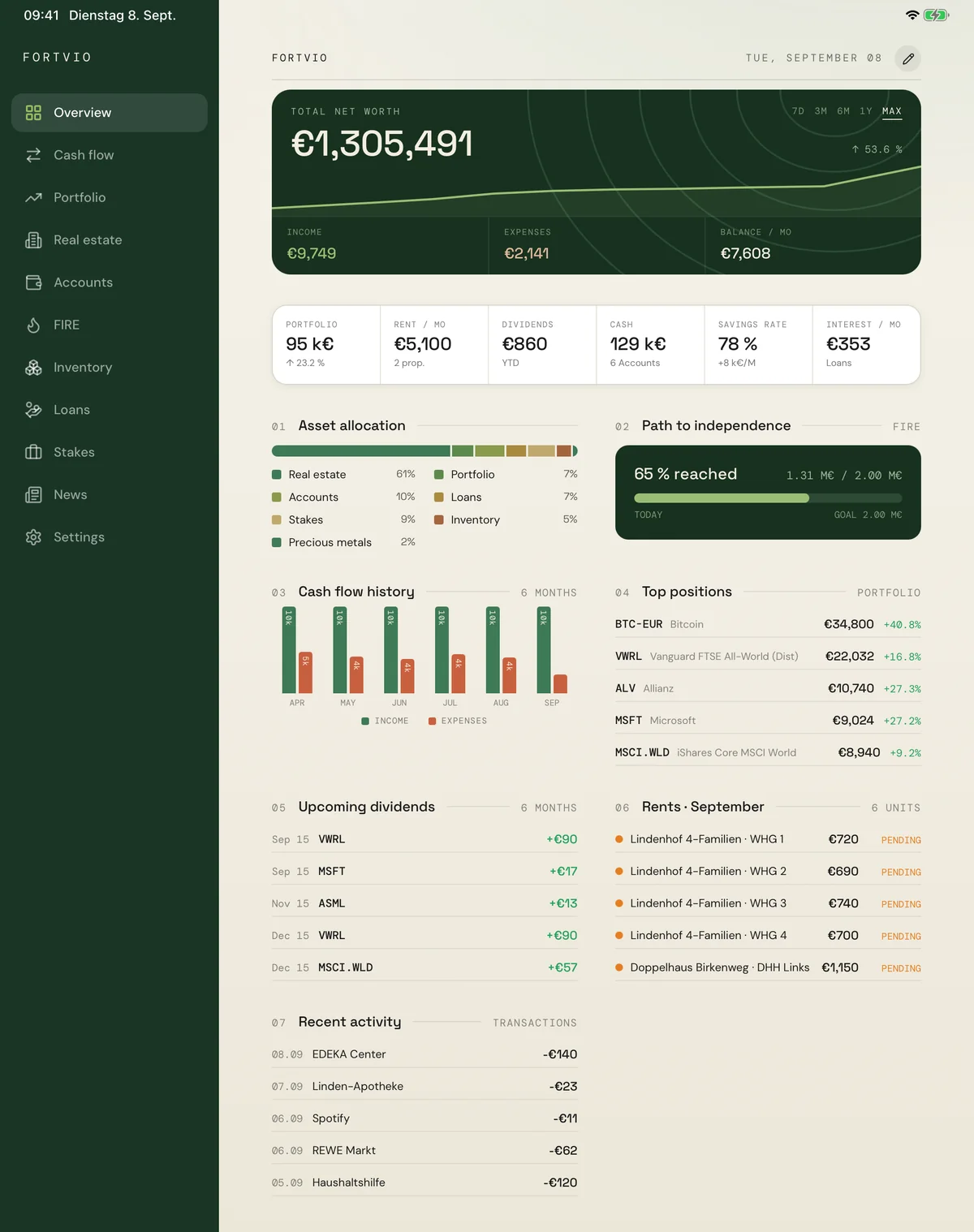
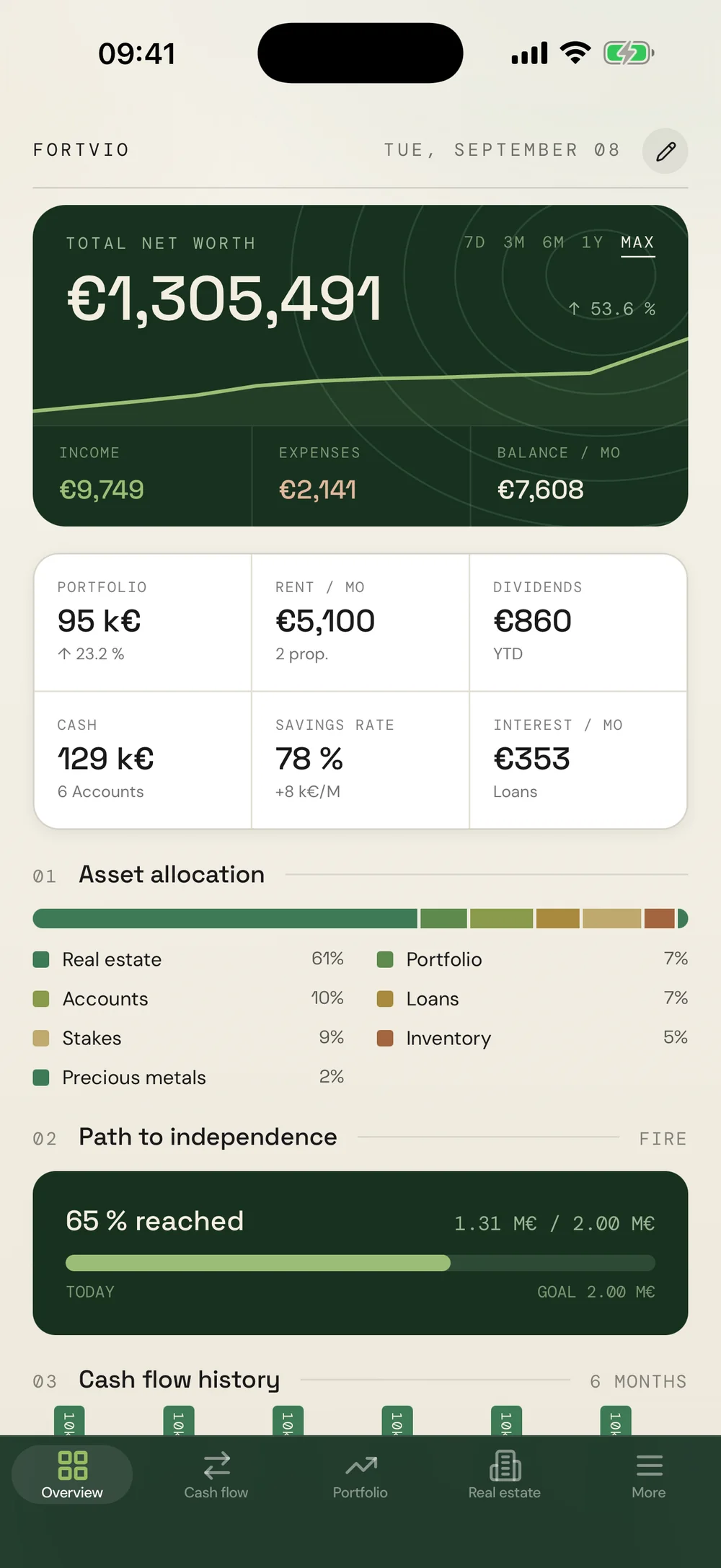
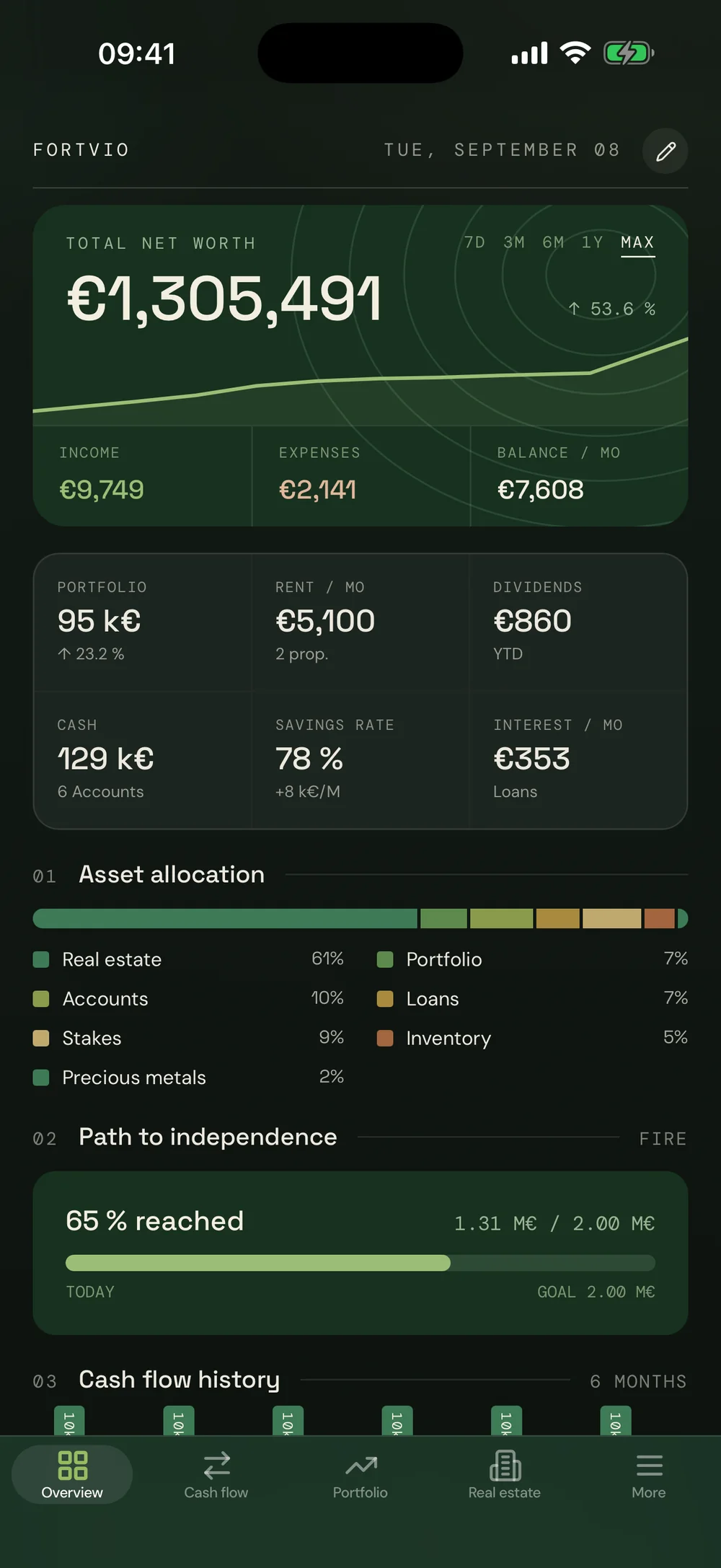
The overview adds up every position: real estate, portfolio, accounts, loans, inventory, metals. Your net-worth curve builds itself – one point per day, no upkeep.

Net worth · Allocation · FIRE progress
02

A portfolio that
maintains itself.

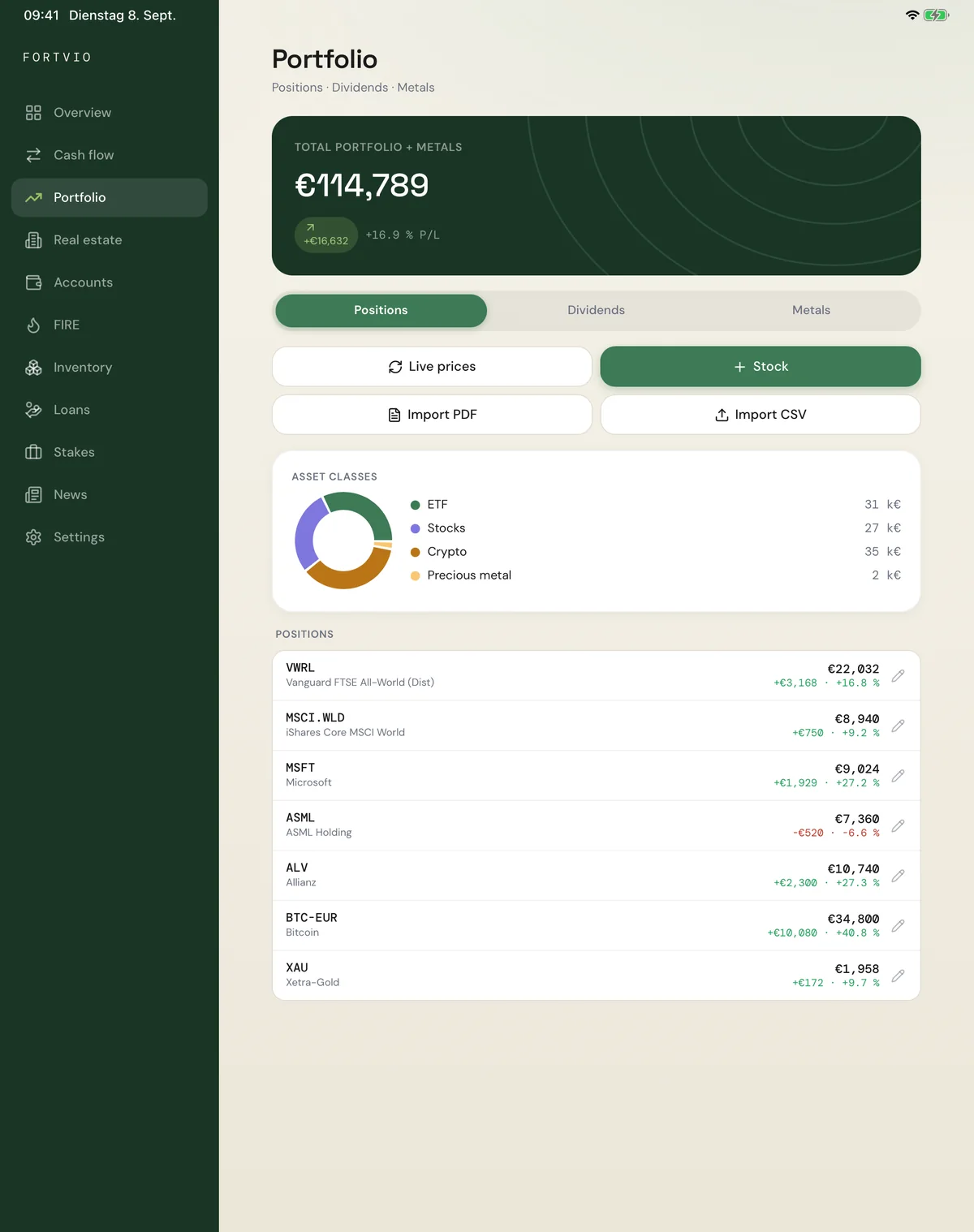
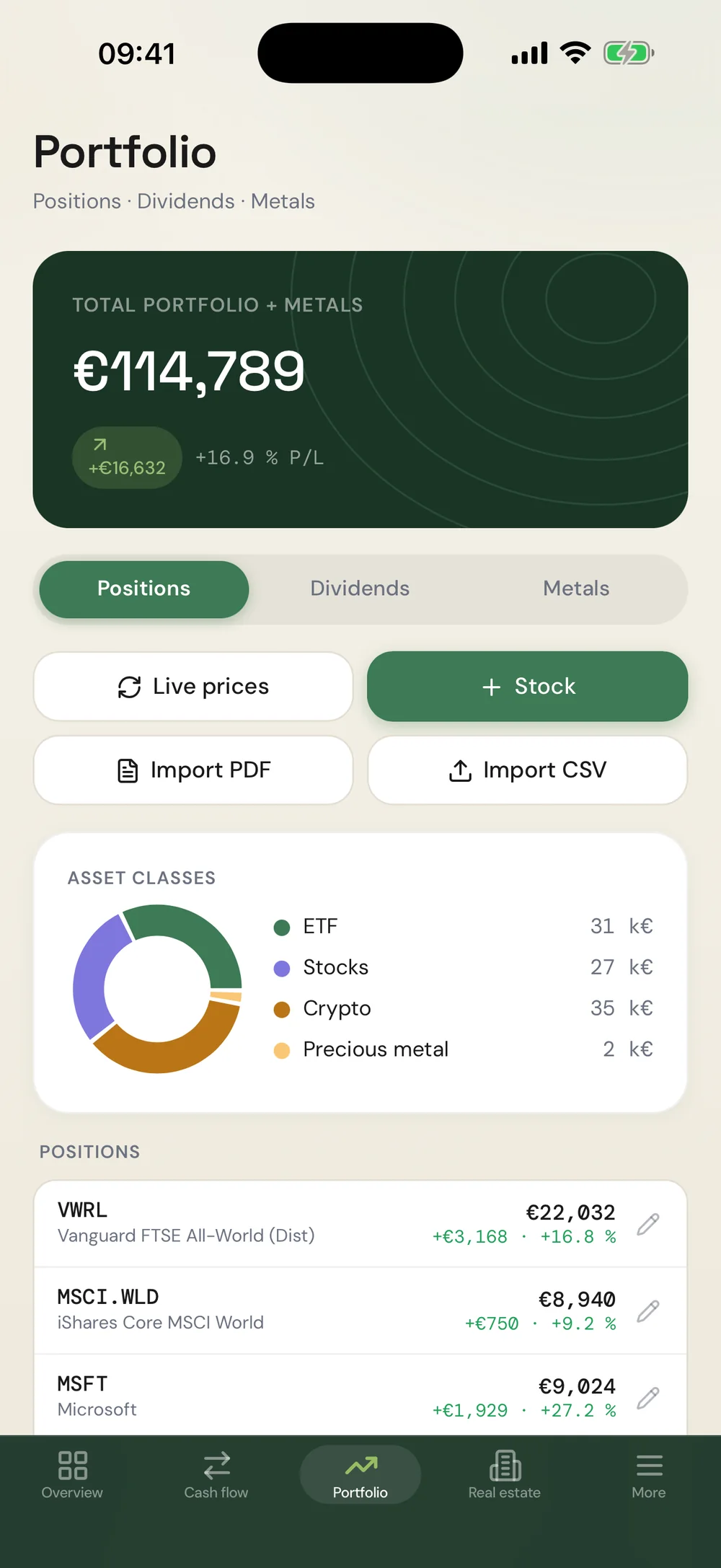
Type an ISIN, done: name, price and dividend load automatically. One tap on “Live prices” refreshes the whole portfolio – including profit and loss per position.

Live prices · P/L · PDF & CSV import
03

Dividends,
before they arrive.

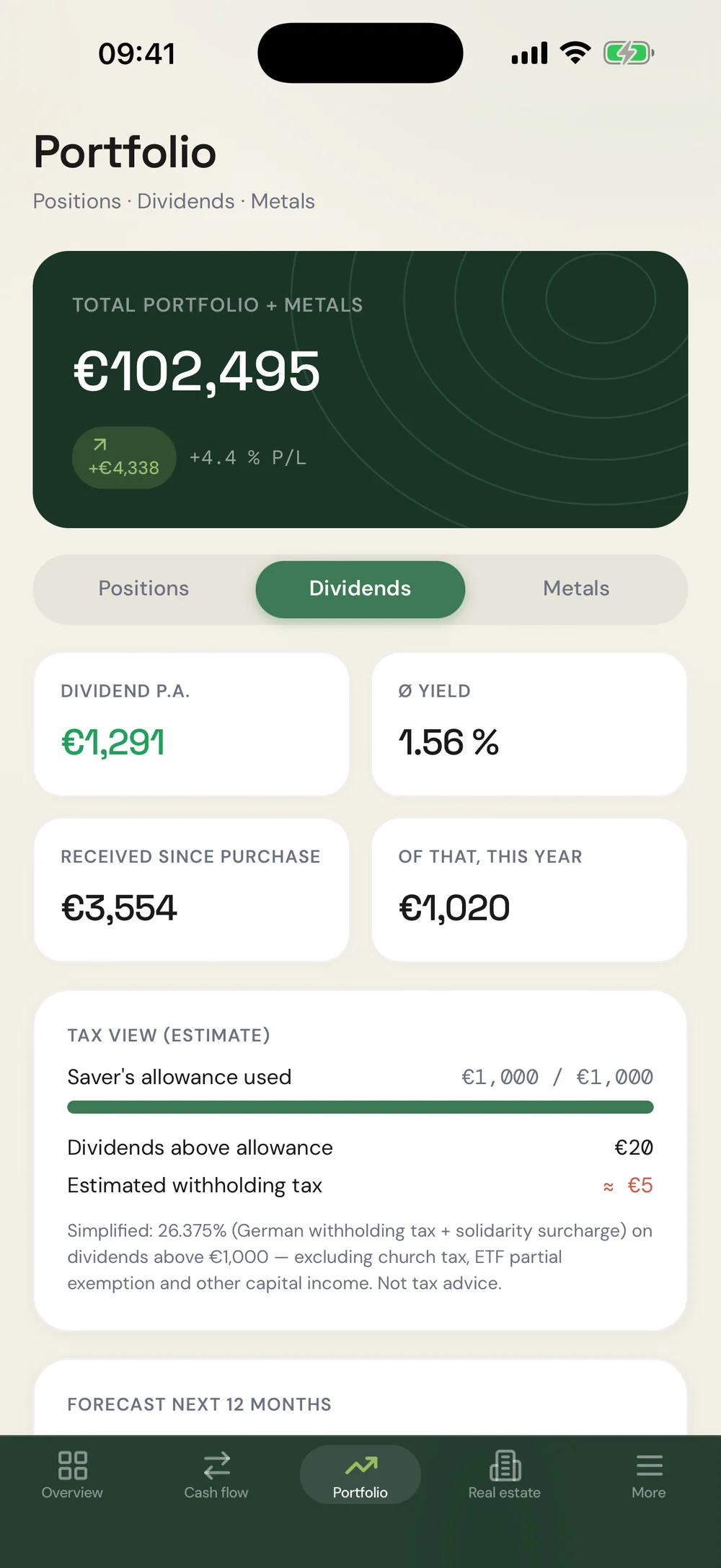
Fortvio researches payouts and payment months on its own. The calendar shows when each security pays – and the forecast, what the next 12 months will add up to.

Calendar · Forecast · Yield per position
04

Expenses sort
themselves.

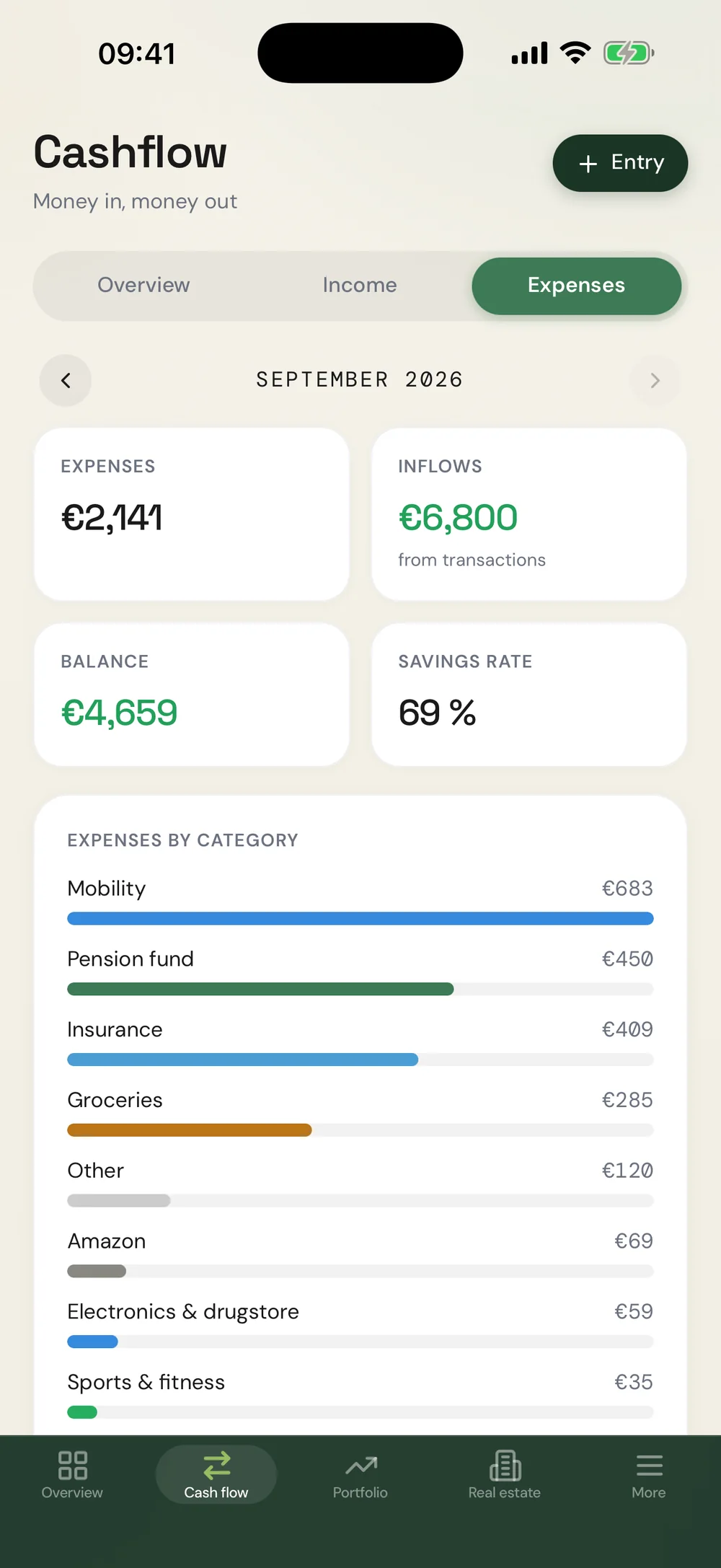
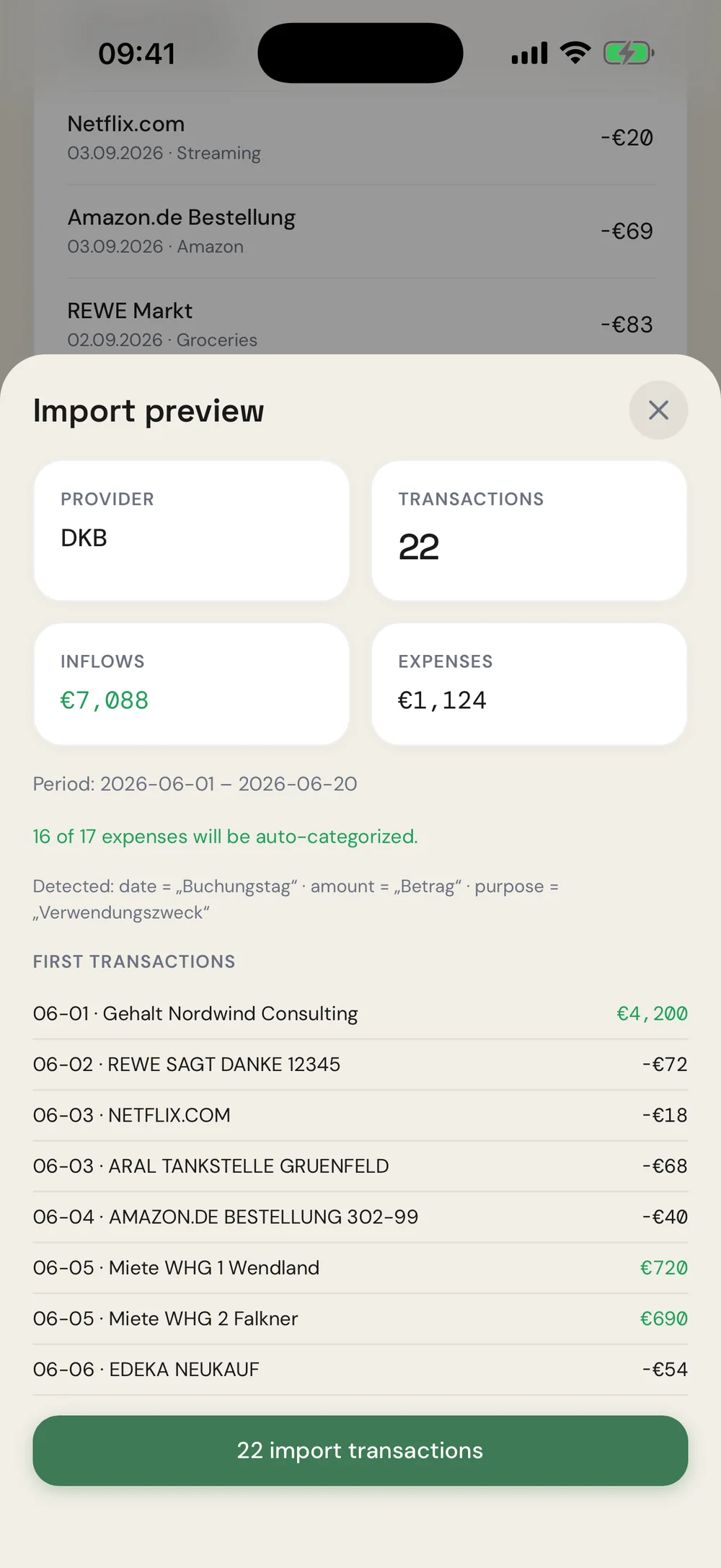
Drop in a CSV statement – columns are detected, merchants categorized automatically, new rules keep learning. Works with DKB, N26, Trade Republic and practically any bank.

Auto-categories · Savings rate · Rules
05

Rents under control,
month by month.

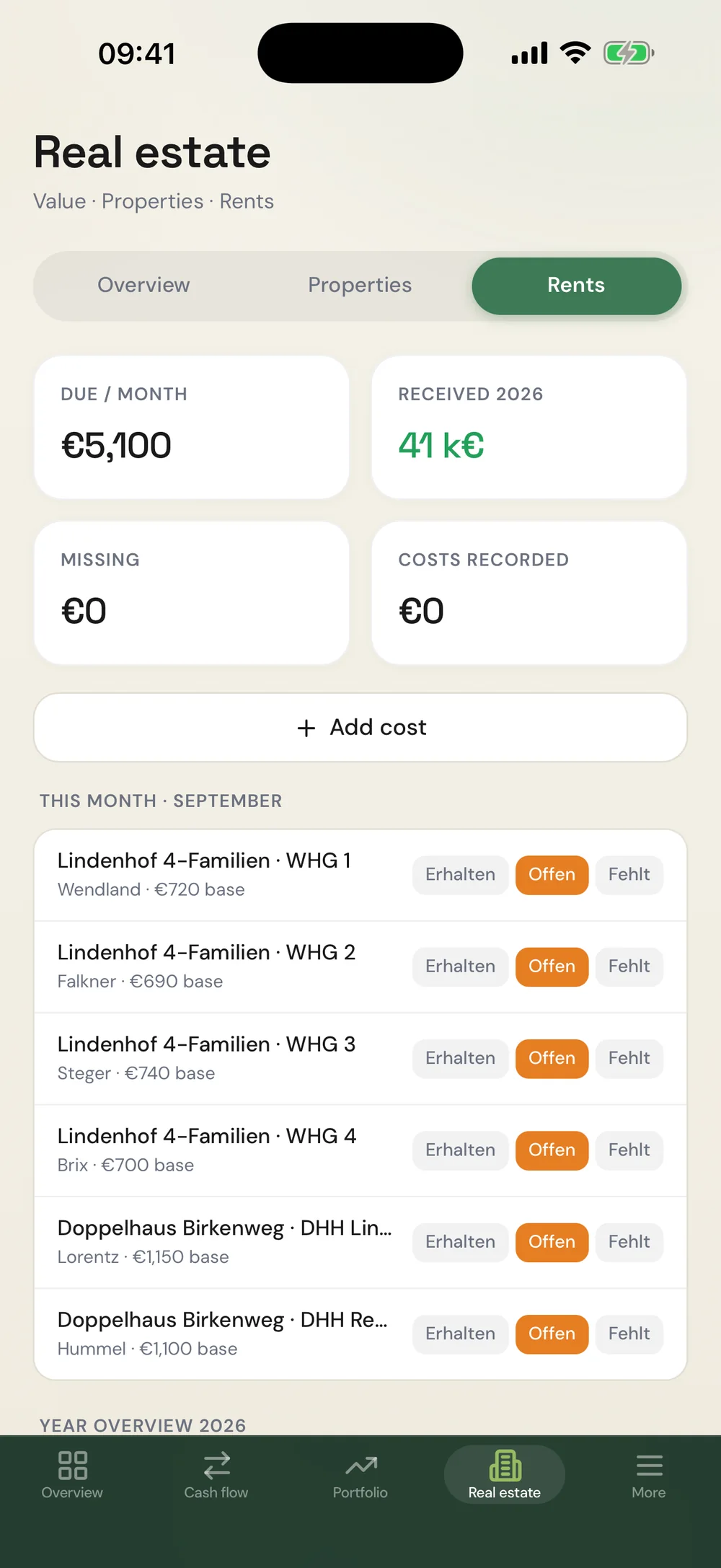
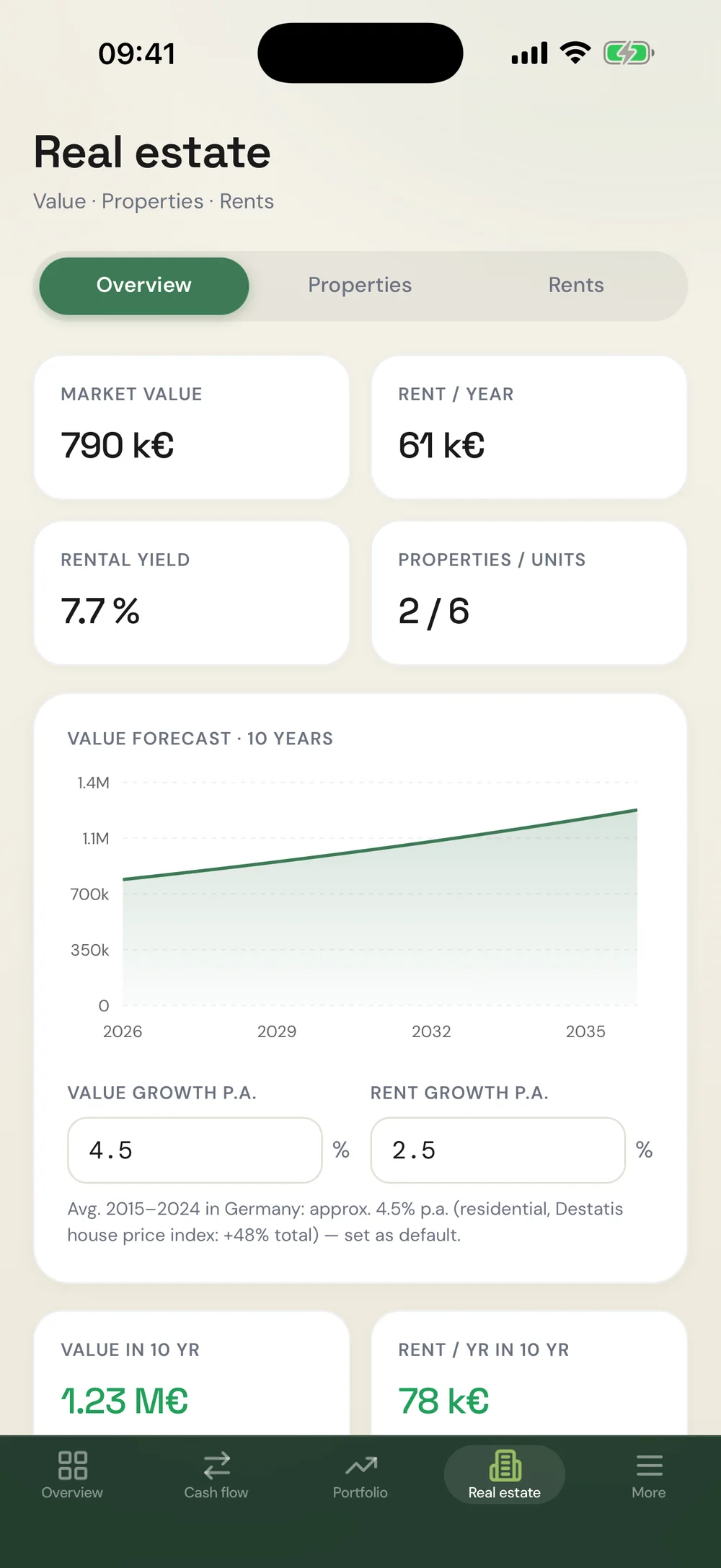
Properties and units with base and gross rent. The year view shows every rent status at a glance – with costs, charges and financing per property.
Rent matrix · Value forecast · Costs
Overview Portfolio Dividends Cash flow Rents
01/05Overview
01
One glance. Everything there.

The overview adds up every position — your net-worth curve builds itself, one point per day.

Net worth · Allocation · FIRE
02
A portfolio that maintains itself.

Type an ISIN, done: name, price and dividend load automatically — including profit and loss per position.

Live prices · P/L · CSV import
03
Dividends, before they arrive.

Payouts and payment months are researched automatically — with calendar and 12-month forecast.

Calendar · Forecast · Yield
04
Expenses sort themselves.

Drop in a CSV statement: columns detected, merchants categorized, rules keep learning.

Auto-categories · Savings rate · Rules
05
Rents under control, month by month.

Base and gross rent per unit, rent status in the year view, costs and financing per property.
Rent matrix · Forecast · Costs
ONE ACCOUNT · ALL DEVICES

Your numbers belong to you.

0
asset classes
in one app
0
device classes —
iPhone · iPad · Web
0%
your data —
export anytime
0yr
FIRE forecast
into the future
Works without an account – everything stays on your device. With a free account and Pro, it syncs across iPhone, iPad & web. No tracking, export & import anytime as JSON.
GLIMPSES

At home in the dark, too.

Dark mode
Dark mode – follows your system
CSV import
Import preview with detected columns
Real estate
10-year value forecast
Rent status
Rent status per unit & month
ALSO ON IPAD

Thinking big.

On iPad the overview becomes a cockpit: sidebar, two-column widgets, more at a glance – and with Pro everything stays in sync between iPhone and iPad.

Fortvio on iPad – overview
Overview with freely arrangeable widgets
Fortvio on iPad – portfolio
Portfolio with live prices and profit/loss
QUESTIONS

Quick answers.

What does Fortvio cost?

Tracking and analysis are free forever. Fortvio Pro (€3.99/month or €34.99/year, the yearly plan with a 14-day free trial) unlocks cloud sync, PDF import, the dividend calendar with forecast & tax view, portfolio history vs. MSCI World, the real-estate value forecast, and unlimited positions and properties.

Do I need an account?

No – Fortvio works without an account; all data then stays on your device. A free account (Apple, Google or email) keeps your data encrypted and, with Pro, in sync across all devices. Whether your data lives in the cloud or only locally is your choice in Settings.

Which banks does the CSV import support?

The import detects columns and formats on its own – it works with statements from DKB, N26, Trade Republic and practically any bank that exports CSV.

Can I take my data with me?

Anytime: in Settings you export all data as a JSON backup (e.g. to iCloud Drive) and restore it on a new device. You can delete your account including all cloud data with one tap inside the app.